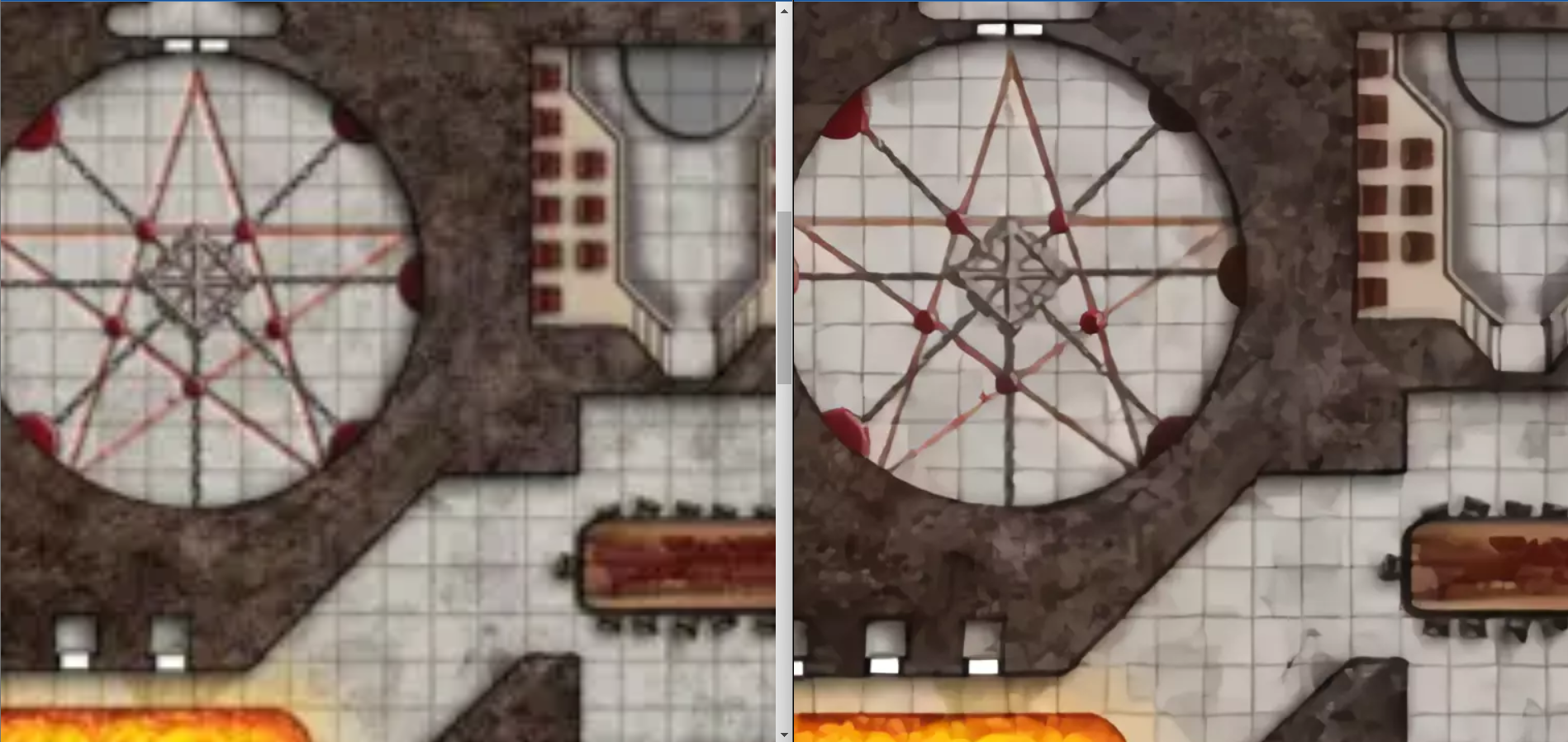

I love Paizo APs. Like, adore them. I think they’re one of the best parts of diving into the Paizo culture: Ready-made adventures with tons of maps, NPCs, creatures, and twists that still give players a huge amount of freedom to do what they want.
The maps, though. Oh lord.
The older APs weren’t built with VTT in mind, so the maps tend to be quirky: Great for print, bad for VTT. Damn near impossible to rip out of a PDF. A grid that doesn’t align to a grid. While the later PF1 APs improved a bit, the earlier ones can be a headache. However, the APs are absolutely worth running, so here’s how I reduce (not obliterate, I’m not a VTT miracle worker) the pain.
Spoiler warning
In order to make a post about old Paizo maps, I have to use old Paizo maps. I’m going to be using the maps from the Council of Thieves AP, since it has some fairly complex maps in it, and it’s what I have on hand. So, mild spoiler warnings for an AP that’s been out for over a decade.
Extract the maps
I’ve tried so many tools for extraction, and if you have one you like better, you do you. The one I tend to come back to, though, is TokenTool from RPG Tools. It’s made for tokens, but you can also use it to get maps out. I’ve tried a bunch of tools, but this is the only one that seems to get the images out without too much struggle.
Step 1: Clear your screen
For some reason, we start with a gear token and a lady doing yoga. Let’s get rid of them (or whatever you were working on previously).

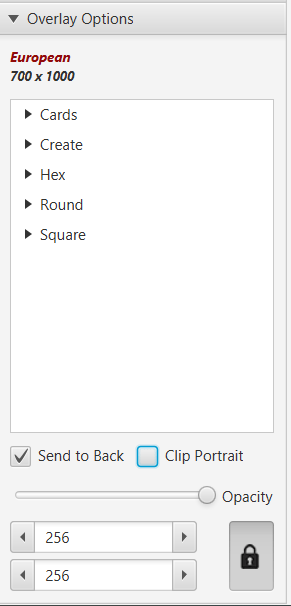
On the right-hand menu, make sure you have “Overlay Options” expanded. Click “Send to back” and deselect “Clip Portrait.”
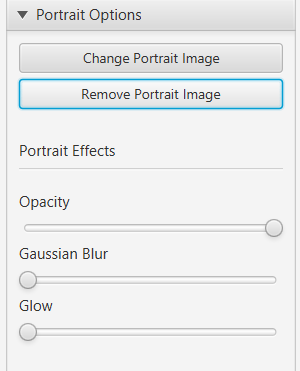
Next, expand “Portrait Options” and click “Remove Portrait Image.” Bye, yoga lady.
Step 2: Get the maps!
Now, we want to open the PDF you’ll be grabbing maps from. I’ll be honest: This part can be a wee bit clunky, so I recommend putting on a podcast and grabbing all of your maps in one go.
When you open a PDF in TokenTool (under File, or using Ctrl+O), the PDF will appear on in a new window, with two panes: The left-hand pane is the page of the PFD, and the right hand contains all of the images on that page. To get to a new page, scroll over the left-hand pane. No, there’s no jump option (that I could find), so some patience is a virtue here.
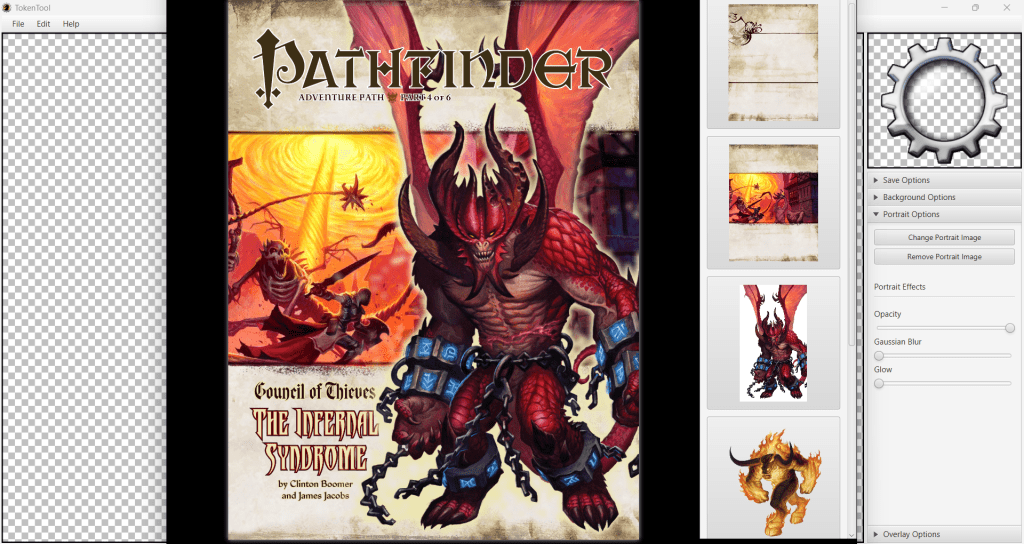
Once you get to the page with your map, click on the right map to insert it into the main TokenTool window. Now, this is important: When you export the image, the image will be cropped to what you see in the preview window. So make sure your whole map is showing by scrolling in or out!
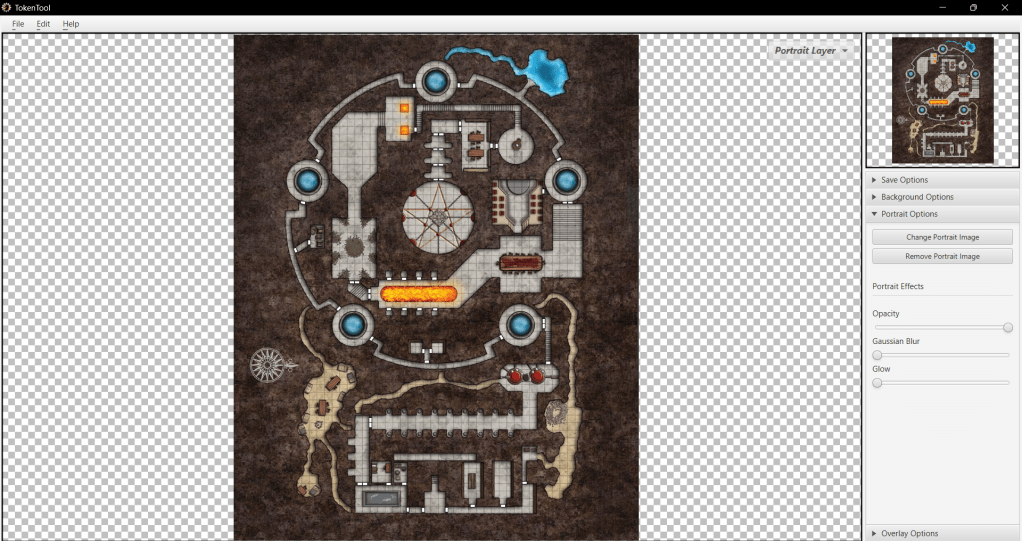
Now, save. And maybe go get the rest of your maps while you’re there, since the PDF window is probably still open.
Upscale!
First, let’s be clear on what “upscaling” is. It’s not just “making the image bigger.” It’s doing so with some intelligence (specifically, Machine Learning). A great recent-ish example of this is the fan-mod for FF7 original, where someone upscaled the textures.
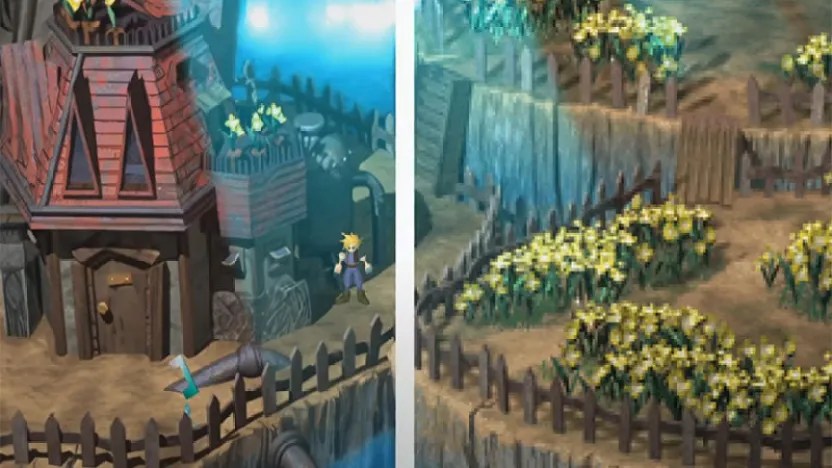
There are many, many tools out there for upscaling. The one I’ll be using is from Icons8, mostly because I can pay $0.20 per image rather than paying a monthly fee. Given that most APs have only a handful of maps, it’s well worth the investment for me.
All you have to do is upload your map, and Icons8 will do the magic! I do recommend upscaling to 4x, since 2x is still a bit too small for most VTTs, if your players like to be zoomed way the heck in.
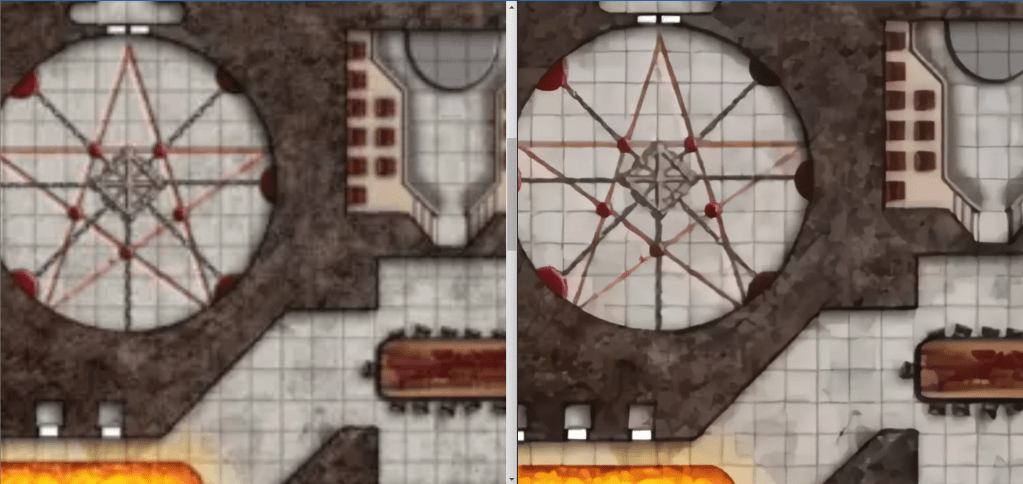
Some notes: It’s technology, not magic, so it’s not perfect. The end result for most maps tends to look like someone painted the map with oil paints, which I kind of dig. If it really, really bugs you that the chairs are wonky, at least you have a better image to work from.
That darn grid
Some people aren’t going to like this tip, so I’ll go ahead and put it first: Get the grid somewhat lined up… then turn it off.
For most VTTs, this doesn’t mess with measurements, but you will have to warn your players to stay ON THE GRID. For the vast majority of players, this isn’t a huge problem. Yes, there are all sorts of finicky tricks about how to get the grid to line up perfectly, but this post is about decreasing heartburn, not making new and interesting heartburn issues.
If most of the grid fits, but one or two rooms are off, cut them out, and place them on the map layer, one by one. Nudge them around until they line up well enough. If you’re using dynamic lighting of some kind, chances are your players will never notice the seams. If they do, give them a Hero Point or something to make up for shattering the illusion that they were really in a dungeon.
Note that I recommend doing this on the VTT itself. I’ve found it easier than stitching together the whole thing in Gimp and hoping I got it right, only to find out I was off by a few pixels.
Anyway, that’s my process for extracting old images and making them less eye-bleedy for VTTs. Hope it encourages some of you to check out some older APs!
 Katie Plays Games
Hi there
A friend of mine recommended this post, I did a tool for windows based in the Token tools to help extracting the images and to extract single pages too to help me with the pathfinder society Chronicle sheets 😀
Have a look may could improve your pipeline https://github.com/germanosk/PDFHelper/releases/tag/0.0.4
Also my tool is open source, so if someone is willing can download the code and make their own changes 😀
LikeLike
Interesting idea. Have you tried an image upscaler you run on your own machine? I stumbled across Real-ESRGAN on Github the other day, and it’s upscaling abilities are pretty damn amazing and quite similar to what you’ve shown on this page. I tried it because the upscaler comes as a portable file, meaning you don’t need to install it in order to run it. Granted it’s geared towards Anime, and I will admit the small portrait 314 x 192 images from the Core Rulebook are drop-dead amazing(*) at the default 4x (to 1256 x 768) upscale. That said, I’ve thrown a few landscape maps at it, and while a bit more smoothed out than I wanted, they are pretty good.
Good luck!
(*) Default works well, but the included ‘realesrgan-x4plus-anime’ model does a better job.
LikeLike
I’ve considered it! However, I’ve been caught in the trap where I end up being the person who can “do the cool thing,” and I end up doing it for everyone. This, at least, has the advantage that most people can do this without installing anything, and if a friend wants to do it, I don’t have to be tech support.
LikeLike