Pathfinder 2e Ritual Calculator

Another day, another round of “Katie makes a tool because she hates little maths.”

I love Pathfinder 2e rituals. They’re legit one of my favorite parts of the game. A spell anyone can cast that you can pick up fairly early but comes with consequences if you actually try to use it right away? Delicious! I absolutely love to collect them and watch them blow up in my face.

One problem: Figuring out the DCs stresses me out when we’re in the middle of a game. Yes, it’s just two numbers, but they’re two numbers that really need to be right, especially since I also often have feats that change them. So… enter the calculator.

Features

  • If you pick a ritual rank, you’ll get the DCs for both the primary and secondary caster.
  • You can pick which feats you want to apply, which will modify the DCs.
  • Yes, it won’t stack the same bonus.

I think I got all the feats, but if I missed one, please tell me! Note that I’m only interested in ones that change the DC, not every single ritual feat.

Future updates?

Future updates are possible! There are a few things I wanted to add, but I needed to move on to another project. I really want to calculate the chance of success based on which casters you have and how good they are. I feel like this could help people really understand that you don’t cast rituals the second you get your hot little hands on them… or you do and just let all your dead friends be chickens.

And if you have any suggestions, let me know!

Katie’s RPG Toolkit

This is going to be a very unsexy post about the tools I use or created to help me prep, run, and play in games.

Storage

  • Dropbox is a must. And it’s not just for storage! You can also create file-request forms for things like updated character sheets or backstories. And being able to share out links to content is huge.
  • Google Drive, especially Sheets. My groups live and die by loot sheets in Google Sheets. It’s also where we keep shared notes if someone is going to play note-taker.

Character creation

  • Hero Lab – I use this so much as a GM. It’s spendy, but it’s awesome for being able to create characters quickly. I can also create campaigns that share my content with my players, which helps us get on the same page since I can restrict certain books or check certain settings.
  • Pathbuilder – While I don’t use it, I recommend it for players who don’t want to use Hero Lab or if I’m not creating a HL campaign for that game.

PDF extraction

  • TokenTool – Sometimes, it’s tricky to get maps out of Paizo PDFs. This is my ‘always works’ solution.
  • Python – I found this blog post while trying to DIY a solution for getting images out of PDFs and ended up using their script as is. It works great! It has problems with maps for reasons I keep meaning to look in to but never quite find the time for.
  • PDF-XChange – If I just need one image, this program gives me the option to right-click and save the image. Why don’t more readers do this?!
  • Script for cleaning text – Sometimes, my AP isn’t in my VTT of choice, so I have to create the NPC sheets myself. This script removes line breaks AND puts brackets around the dice rolls. Simple, but saves me a surprising amount of labor.

Tabletop

  • My VTT of choice is Roll20 – I run many systems, and it covers them all. Also, I don’t want to worry about hosting, especially since players poke their heads in randomly to set up their sheets.
  • Discord for video and audio – It just works. I pop out the video call and arrange my windows so it’s always up.
  • Watch2gthr for music on YouTube – I only use this when the music I want to use isn’t royalty-free. Otherwise, Roll20’s jukebox works fine for my purposes.
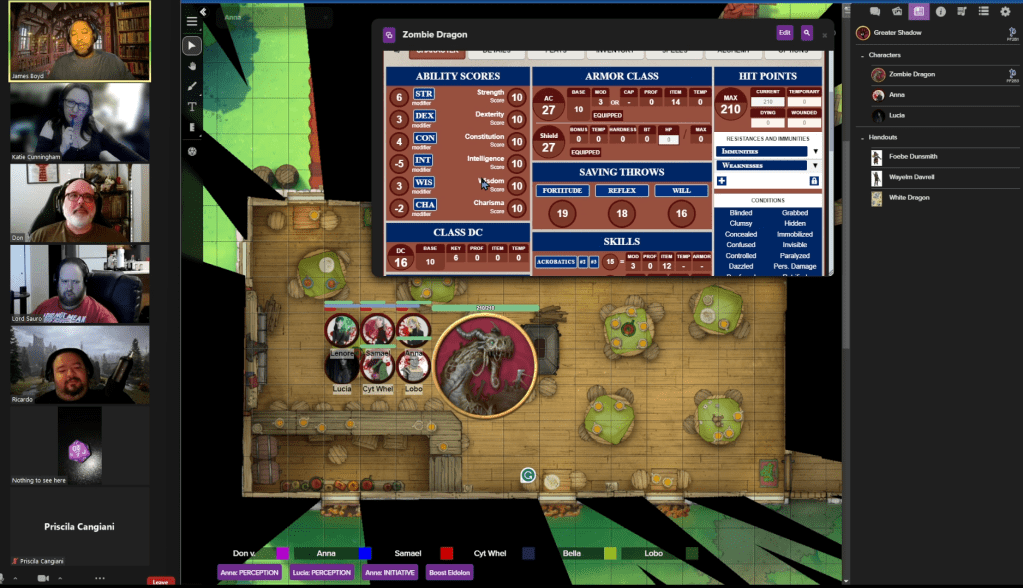
A shot from the Dhampirs game, where I was the backup recorder.

Image editing

  • Gimp – Free and it can probably do everything most people need. I know it works for me.
  • Token Stamp – I could use Token Tool but I prefer the controls here. Also, TokenTool isn’t on every machine in my house.
  • Icons8 Smart Upscaler – An amazing tool for making your maps look better when zoomed in. I use this mostly with older APs.
  • Icons8 for icons – I originally subscribed to Icons8 for professional work, but I quickly found them super convenient for tokens and markers! You can recolor them, give them borders, and they’re super clear even when you’re zoomed out.
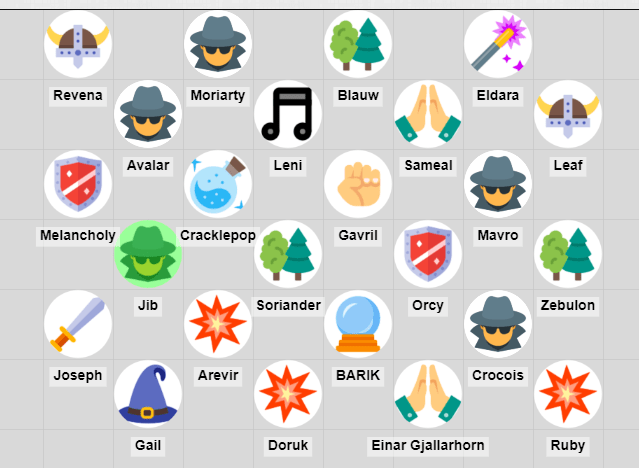
A collection of player tokens on a grid.
From our Extra Life game. I didn’t have time to set up bespoke tokens for everyone, so each class had a generic icon.

Music

  • I keep an eye on Humble Bundle when it comes to music. Every few months, they have bundles of royalty-free music that are made for games. These are great for when I’m going for a specific feel for a game. You’ll find them under the “Software” section, but make sure that you’re not buying a bundle for loops and sound effects (unless that’s what you really want).
  • When I don’t need super specific vibes, the music that comes with Roll20’s jukebox works perfectly well. Rat Battle and Baba Yaga will forever be a vibe.

Maps

  • CzePeku offers amazing maps that can fit so many scenarios. I’ve often come up with scenarios to use a particular map. Also, each map has variants, which can be super helpful in games for showing a change in location. So, the farm can go from day to night or from normal to bloody.
  • 2-Minute Tabletop is the other map-maker I patronize, but for the opposite reason: The maps are more module and generic (but still so pretty!) so I can build what I need.

Note taking

  • Microsoft OneNote – I don’t use this as much anymore, but back when I first started GMing, this was my ride or die. I still break it out when I need flexibility more than structure. In fact, writing this post made me realize it’s perfect for an upcoming project…
  • Cambridge Quad Wirebound Notebook – The absolute gold standard for graph paper for me. The pages are off-white, so they’re easy on the eyes, and the grid is the perfect amount of contrast. I buy these in bulk.
  • Google Docs – Easy to use, if you have a browser you have access to it, and you can share the doc for collaboration. What more do you need?

So, that’s my toolkit. It’s a lot, but I’ve been building it up over 20 years, so the list was always going to be long. If you use something you think I’ve missed, drop it in the comments!

Larg(ish) combats take two: Off-screen fights

In my Council of Thieves game, the PCs lead a group of lower level rebels. They’ve used them throughout the AP, sending them off on side missions, using them to make up for skill gaps, or bringing them along when the PCs have a large combat.

Recently, the group decided to use them as a distraction. The rebels would keep part of the guard engaged while the main group orchestrated a jailbreak. Due to the layout of the prison, the players wouldn’t be able to directly communicate with the rebels, meaning I would have to simulate what was going on above ground.

True, I could have hand-waved it, but I try to avoid that when it comes to plans like this. Also, the dev in me can’t resist a chance to whip up a script to make things interesting.

The simulation

At first, I thought about writing up something that would take into account hit points, AC, chances of hitting, damage, etc. I decided that was going to be too high effort, especially for a single combat.

Instead, I went with a ‘wound’ system (Note: not the alternative rules from Unchained). I figured a wound would represent a bit of fortitude or luck, like access to healing or a chunk of hit points. Losing a wound point would be akin to getting hit and not having a potion / healer on hand or getting hit especially hard. Running out of wounds would mean your luck had run out.

Combat would work like this:

  • For every two levels an NPC has, they would get one ‘wound’ level. This would be the max number of wounds they can take.
  • Every round, half a wound would be dealt to a random NPC on each side.
  • Once an NPC’s taken their max number of wounds, they are out of the combat and can’t receive more wounds.

For this combat, I decided that being out of wounds didn’t mean the NPC was dead: They’re just unable to fight anymore. Anyone who was at zero wounds would have some sort of injury that would require a heal check and time as well as some magical healing to overcome (like a bone fracture, a bruised rib, a deep wound, etc). While a bit harsh, I wanted to simulate what it was like to be in a combat where you can’t run when it seems dangerous: You have to stick around until you can’t possibly fight anymore.

I also decided that the rebels would scatter as soon as they were down by half. If they waited longer, they may not have enough hands to help the seriously wounded escape with them. In my simulations, this took somewhere between 25 and 30 rounds. I liked that range because it would make things interesting for the jailbreak team. If they took too much time, they might have a second wave of guards descending upon them. If they moved quickly, they might be able to completely take over the prison and guard house.

I decided that the guards wouldn’t retreat as quickly. After all, they’re right by their stronghold, and the ones in the street are working off the assumption that they have back-up coming any second now.

Because it was possible that the main party might come upstairs and clean house, I decided that I’d simplify combat for those left standing. Rather than worrying about hit points, I’d just worry about landing hits. One hit means dealing half a wound (or maybe a full wound if the damage was high enough). When it comes to mopping up, I don’t generally like to split hairs.

The script

In theory, I could have just a rolled a die every turn and kept track of wounds on paper. I wanted to be able to run the simulation a bunch of times, though. This is cumbersome if doing it with pen and die, but trivial when running code. Running the script a bunch of times helped me adjust the numbers so that the fight was interesting without being impossible.

In fact, the multiple simulations are why half a wound is dealt out rather than a full wound: It made the numbers work how I wanted. It also helped me brainstorm how I might interpret the end results.

This script requires Python 3. Also, you need two CSV files, which I included examples of in the repo. Each line is the NPC’s name, how many wound points they have, and how many wounds they start the combat with (generally zero).

[Script] – [CSV file 1] – [CSV file 2]

How’d it go?

When it came time for the combat, I warned the players that I had a script going that would be simulating the battle above, so they should keep that in mind. I felt it was fair to give them a heads up, since I’d been hand-waving much of the off-screen activity of the rebels.

When the combat started, I fired up the script, advancing it at the end of each round. The players mowed through the combat downstairs, and around round 17 ran upstairs and mopped up the guards the rebels had been fighting. By that point, there were two wounded rebels.

Because they knew time was of the essence, I felt like the players pulled out all the stops to end the combat quickly. At the start of the combat, they had no idea if my script was going to hurt people or outright kill them, which seemed fair. They’d never been in this sort of combat with the younger rebels before, so they couldn’t really predict the outcome.

Afterwards, I explained the mechanics of the script. I felt that the PCs could get a rundown from the rebels as to how it went, so a bit of meta-gaming was fine. They didn’t push back on the consequences, and accepted that the rebels that were wounded were going to be down for a day or two. Heck, one even pointed out that one should be out longer!

Future plans for the script

The script was written for a specific combat, so I knew the damage flying back and forth would be somewhat close. In the future, though, I may want to vary the damage output, making one group weaker or stronger.

I also may want the damage dealt to shift as the groups change. Because my simulations showed the groups always being about the same size, I didn’t worry about this, but I could see a future combat where this might vary quite a bit.

Finally, I may have make the script lethal, especially if my players decide to overthrow all of Cheliax…


Population Generator: A script for filling a fantasy town

Hey, I made an online version of this that doesn’t require installing Python! Go check it out!

One of my biggest issues with towns in TTRPGs is that they lack a certain amount of life… literally. I’ve played in huge metropolises and tiny hamlets, and outside of the goods and services available, they’ve felt the same. There’s that one merchant you talk to, that one tavern you know about, and a handful of NPCs that are fairly interchangeable.

As a GM, I’d love to have a town where everyone has a name and a personality. I don’t really have the time to put that together by hand, though. I’m also wary of dumping a huge amount of time into something that my players may simply ignore. I could just make it up as I go along, but I’m terrible about writing down improvised details while in the heat of the moment (this is how a certain shopkeeper in one game ended up with at least four different names).

Ideally, I’d want something to do the work for me, naming my NPCs, giving them personalities and businesses, naming said businesses, and then handing it off to me to use if needed.

Enter the town generator!

Generating random sets of things is something that code is perfect for, so I decided to put together a script that could do it for me. My goals for it:

  • Create a town of N size
  • Populate it with residents
  • Give those residents values to give them some character (age, traits, a wealth level, a job)
  • Give some of the residents a family
  • Pop residents and their family (if any) into a building of some sort
  • Name the taverns and shops
  • Print the whole shebang out to a CSV, so the user can open it in Excel / Google Sheets / whatever

I tinkered with it for a few days, putting in work during coffee breaks and when I had a fit of inspiration. I grabbed a few random data sources, like a list of traits from a researcher at MIT and a bunch of medieval names from an online database. I also spent a bit of a time refreshing random word generators to get some data for my building names.

The results

I ended up with a script that did just what I wanted: Creates and populates a town with residents and businesses! You can see the results of one of the towns I made here.

One of the things I’m enjoying the most are the emergent stories. I considered putting in certain requirements (like a town must always have at least one shop or at least one temple, or can’t be made of only children), but decided against it. For one, it started to feel like a bit of a rabbit hole (why not check the types of temples, or traits that don’t go together, or not having any middle class, or…). But it also created some interesting stories when outlier cases popped up.

For example, in one town I generated, there were a TON of temples. Out of some 300 buildings, 100 of them were a temple of some kind (the normal ratio would have been much lower). What’s going on in a town like this?! Maybe there’s a ton of factions. Maybe the residents follow some of the lesser known gods, or have their own totem spirits. Or heck, maybe they’re all charlatans! And what’s going to happen with that single noble lady who has five sons, all with traits that are at odds with each other…?

The traits also create some fun stories. Each resident is given three random traits. This can lead to a person having traits that are at odds (miserly and generous), or traits that seem at odds with their station (a field hand who’s fancy or a noble who’s rustic). Sometimes, you end up with a marriage where you wonder how in the world they make it work. These just make the people in the city feel a bit more unique and alive. Also, since I’m working with traits and not a block of text, it’s easier to take in during an active session and key off of.

Finally: The business names. I adore the business names. Some of my favorites so far:

  • The Actually Ass tavern
  • The Tripping Chicken
  • The Wishing Wyvern
  • The Half-Elf’s Half-Elf

And the not-safe-for-younger-players:

  • The Wet Wife tavern

Will I use it?

My current campaign takes place in a single city, and my players aren’t in the habit chatting with the locals, so not any time soon. That said, I may go ahead and  run it just in case.

My next planned campaign is a West Marches campaign on Roll20, however, so I’ll likely break it out then. It’s set in a small settlement, but there’s still going to be people bumming around.

What’s planned for it?

Some of the things I’d like to add:

  • Races. Right now, races aren’t a set thing. I’d like to add them in, though I’d like to only do this once I’ve found enough names to add that are actually easy to pronounce
  • A web interface. I’d love for this to not be limited to just people who can run Python.
  • A settings file, so people can tweak the percentages without changing the code.
  • More data!
  • A Python 3 version 😬

Where can I find it?

It’s part of my gamemaster-scripts repo, but if you’re just looking for the files for this script, you can find them here:

https://github.com/kcunning/gamemaster-scripts/tree/master/general/popgen

To run it, you’ll need Python 2.7 installed and the files on your computer, but that’s all. There are no external packages required. If you have an account on Github, feel free to send me a pull request!

Note: Lovely tavern sign created with http://apps.pathstoadventure.com/Tavern-Sign-Crafter/craft.asp