
When new coders ask me about ideas for personal projects, I always tell them to solve the little annoyances in their lives. Maybe it’s a template engine for sending out repetitive emails. Maybe it’s a script that helps you clean up messy spreadsheets. Or, in my case, it’s a bunch of little tools to help me run my tabletop games.
I recently started co-running Cyberpunk Red games, and I realized I was choking when it came to giving our poor netrunner something to do. Red has absolutely made netrunning during combat feasible, but it still requires a different sort of prep than it does for the meatbags in the group. Enter the Net Architecture Generator!
How does it work?
- Launch the app (of course).
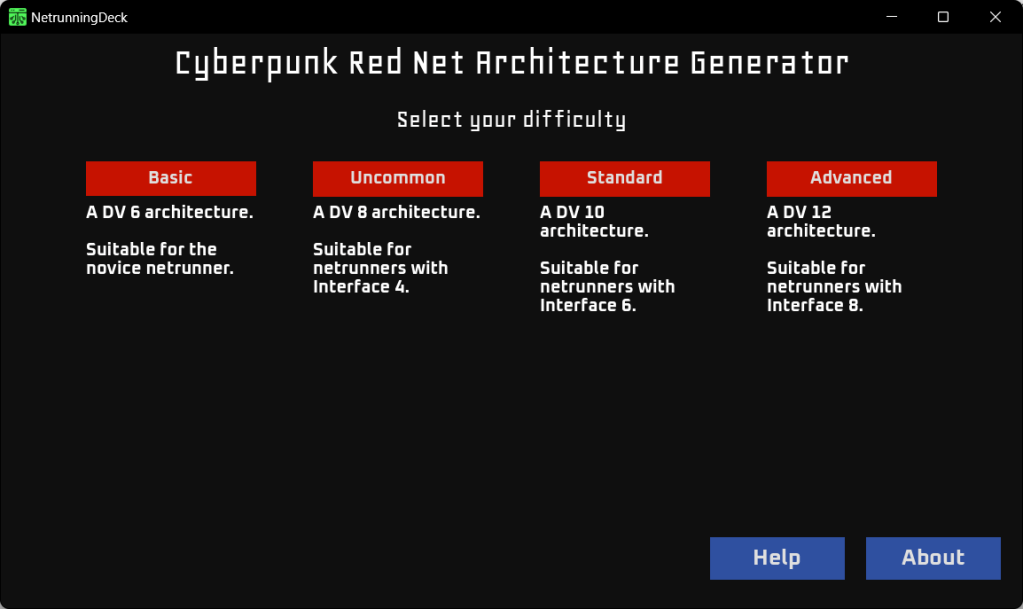
- Select the difficulty. “Interface” is the Netrunner’s Role Ability. An arch that’s too hard for a netrunner could easily fry them, so be careful about tossing them into the deep end.
- Click “Generate Floors” (the button won’t appear until you’ve selected a difficulty).
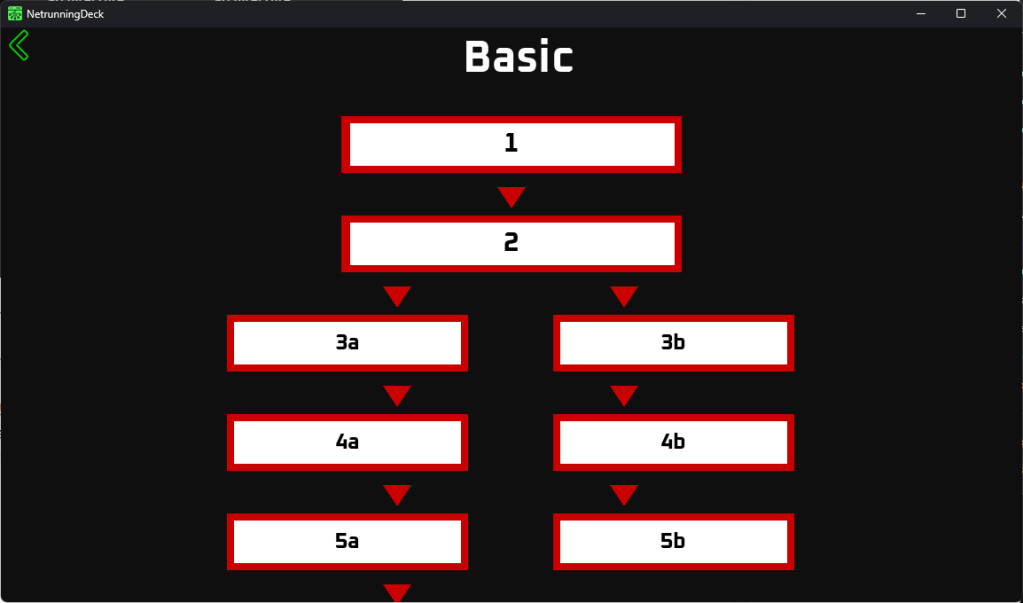
- To reveal a floor, click on it. If you want to hide it again due to a mis-click, left-click on it. Scroll down or use the arrow keys to show the rest of the architecture.
- Click on the green arrow to go back, if you want to select a different difficulty.
What doesn’t it do?
According to the rules in CPR, an arch can branch multiple times. I made the maximum number of branches one, because I was under a bit of a time crunch. I wanted to test it out in an actual game, and I also had another project I wanted to get back to. I may update it to have more branches in the future, but so far, one branch meets my needs.
Also, due to said time crunch, the entire arch is visible at the start. This is fine if the GM is narrating the arch, but it isn’t ideal if the player can see the app. This is something I intend to update at a future date, although I haven’t found it to be a significant issue in games.
What is it written in?
Godot! For those who don’t know, Godot is a free and open-source game engine. I’ve been toying around with it since the Unity debacle, and I adore it. Though I could have written this in a number of other languages, I’ve been trying to push myself when it comes to using GDScript.
How do I get it?!
If you’re on Windows (or are running WINE), here’s an executable!
If you’d prefer to run it through a browser, I did an HTML5 export. However, be warned, it’s a tiny bit wonky.
I found a bug!
I’m not shocked, since this was something I slapped together during lunch breaks and while waiting for dinner to finish. Drop me a line via my contact page, and I’ll look into it.
Can I contribute?
Sure! I’m not the fastest one to accept merge requests, but I welcome all well-intentioned updates. Just don’t judge my code too harshly. This was a ‘get it done’ project, not a ‘hang in a museum’ project.
 Katie Plays Games