
This is going to be a very unsexy post about the tools I use or created to help me prep, run, and play in games.
Storage
- Dropbox is a must. And it’s not just for storage! You can also create file-request forms for things like updated character sheets or backstories. And being able to share out links to content is huge.
- Google Drive, especially Sheets. My groups live and die by loot sheets in Google Sheets. It’s also where we keep shared notes if someone is going to play note-taker.
Character creation
- Hero Lab – I use this so much as a GM. It’s spendy, but it’s awesome for being able to create characters quickly. I can also create campaigns that share my content with my players, which helps us get on the same page since I can restrict certain books or check certain settings.
- Pathbuilder – While I don’t use it, I recommend it for players who don’t want to use Hero Lab or if I’m not creating a HL campaign for that game.
PDF extraction
- TokenTool – Sometimes, it’s tricky to get maps out of Paizo PDFs. This is my ‘always works’ solution.
- Python – I found this blog post while trying to DIY a solution for getting images out of PDFs and ended up using their script as is. It works great! It has problems with maps for reasons I keep meaning to look in to but never quite find the time for.
- PDF-XChange – If I just need one image, this program gives me the option to right-click and save the image. Why don’t more readers do this?!
- Script for cleaning text – Sometimes, my AP isn’t in my VTT of choice, so I have to create the NPC sheets myself. This script removes line breaks AND puts brackets around the dice rolls. Simple, but saves me a surprising amount of labor.
Tabletop
- My VTT of choice is Roll20 – I run many systems, and it covers them all. Also, I don’t want to worry about hosting, especially since players poke their heads in randomly to set up their sheets.
- Discord for video and audio – It just works. I pop out the video call and arrange my windows so it’s always up.
- Watch2gthr for music on YouTube – I only use this when the music I want to use isn’t royalty-free. Otherwise, Roll20’s jukebox works fine for my purposes.
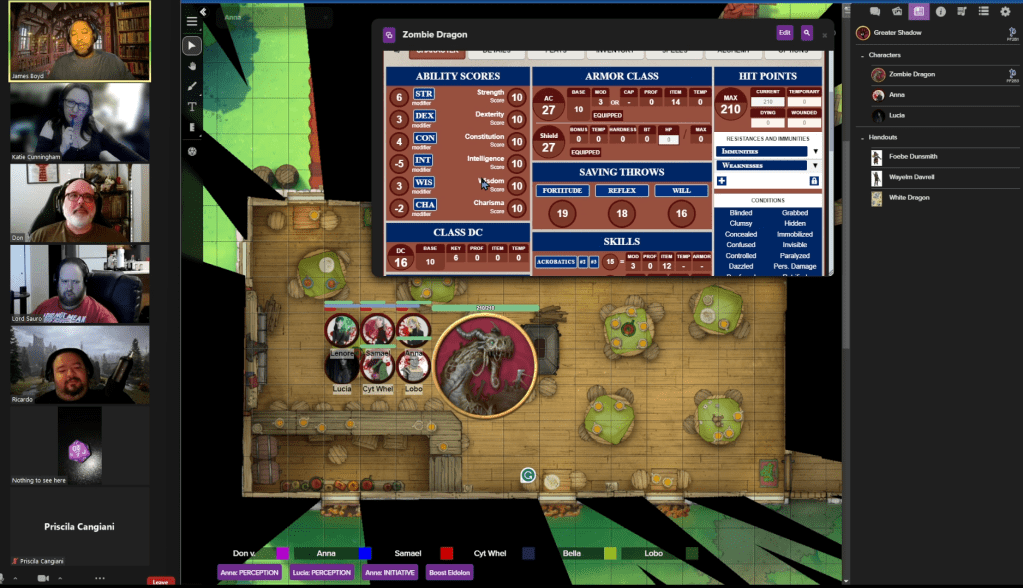
Image editing
- Gimp – Free and it can probably do everything most people need. I know it works for me.
- Token Stamp – I could use Token Tool but I prefer the controls here. Also, TokenTool isn’t on every machine in my house.
- Icons8 Smart Upscaler – An amazing tool for making your maps look better when zoomed in. I use this mostly with older APs.
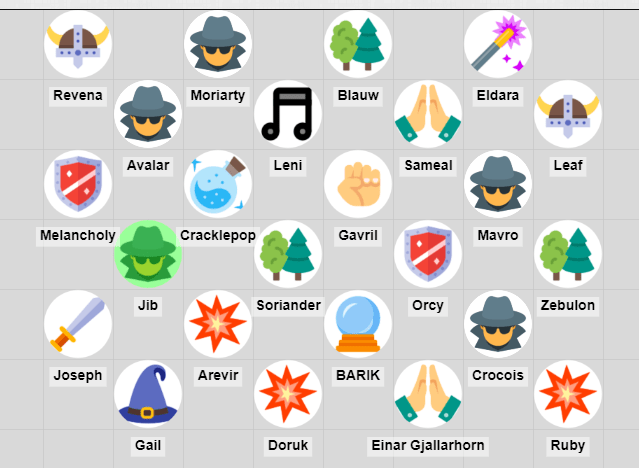
- Icons8 for icons – I originally subscribed to Icons8 for professional work, but I quickly found them super convenient for tokens and markers! You can recolor them, give them borders, and they’re super clear even when you’re zoomed out.
Music
- I keep an eye on Humble Bundle when it comes to music. Every few months, they have bundles of royalty-free music that are made for games. These are great for when I’m going for a specific feel for a game. You’ll find them under the “Software” section, but make sure that you’re not buying a bundle for loops and sound effects (unless that’s what you really want).
- When I don’t need super specific vibes, the music that comes with Roll20’s jukebox works perfectly well. Rat Battle and Baba Yaga will forever be a vibe.
Maps
- CzePeku offers amazing maps that can fit so many scenarios. I’ve often come up with scenarios to use a particular map. Also, each map has variants, which can be super helpful in games for showing a change in location. So, the farm can go from day to night or from normal to bloody.
- 2-Minute Tabletop is the other map-maker I patronize, but for the opposite reason: The maps are more module and generic (but still so pretty!) so I can build what I need.
Note taking
- Microsoft OneNote – I don’t use this as much anymore, but back when I first started GMing, this was my ride or die. I still break it out when I need flexibility more than structure. In fact, writing this post made me realize it’s perfect for an upcoming project…
- Cambridge Quad Wirebound Notebook – The absolute gold standard for graph paper for me. The pages are off-white, so they’re easy on the eyes, and the grid is the perfect amount of contrast. I buy these in bulk.
- Google Docs – Easy to use, if you have a browser you have access to it, and you can share the doc for collaboration. What more do you need?
So, that’s my toolkit. It’s a lot, but I’ve been building it up over 20 years, so the list was always going to be long. If you use something you think I’ve missed, drop it in the comments!
 Katie Plays Games