
Recently, I decided to take my players into the First World (AKA The Feywild) for a bit of a pre-wedding jaunt. I knew I wanted to do something different with the maps, but none of the maps I was finding were quite enough. Pretty, yes, but not mind-bending, which is what their opponent was going to be tossing at them.
Then I remembered that DeepDream was a thing.
What is DeepDream?
You’ve probably seen DeepDream in action. It’s a machine learning program originally created by Google to find patterns in images. There’s lots of practical reasons for software like this, but one of the impractical reasons is to add eyeballs to images of cats.

You can also apply styles to images, so you can make a photo of you chilling at your desk look like Van Gogh decided to immortalize you.

Tossing it at maps
I’m a patron of CzePeku’s amazing maps, and one of their maps fit the bill for the base map: The Fey Village. While CzePeku offers variants for each map at my level, none of them were quite weird enough. So what happens if you feed them into the generator?
To put it simply: MAGIC. MAGIC HAPPENS.
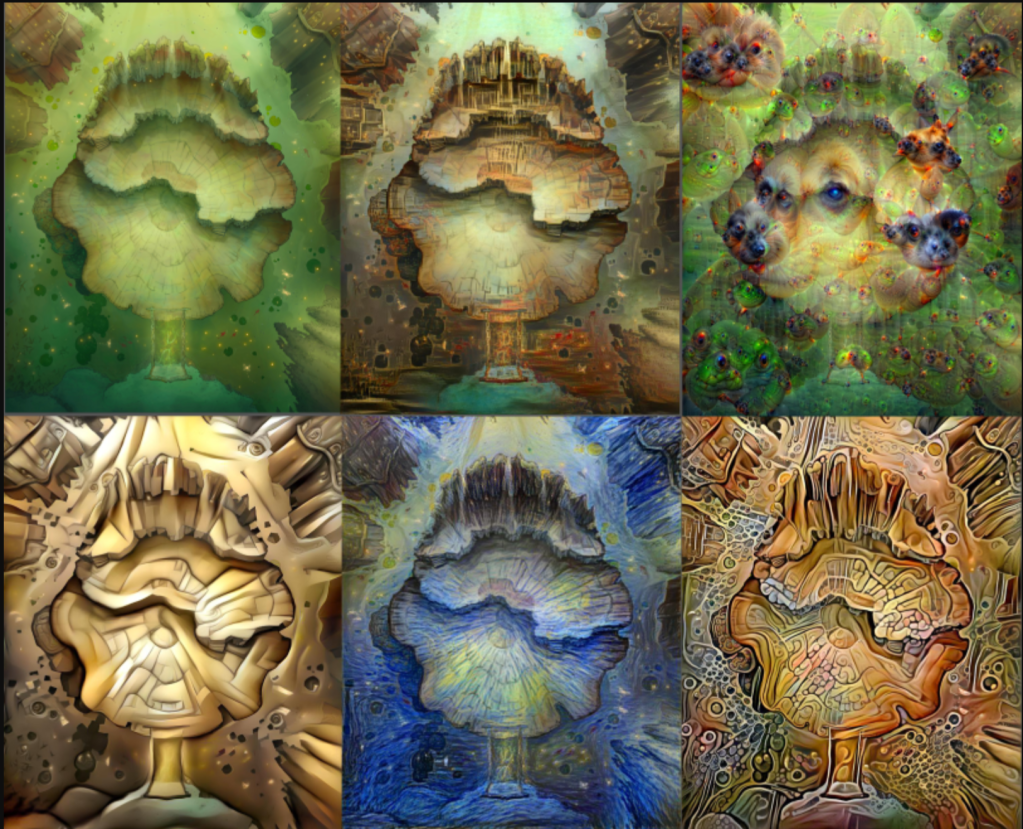
While the ratios stayed the same, the style completely changed the feel of the map, making them appropriately trippy. I was able to layer them over each other, and the players never ended up being in the water the next turn because the map shifted.
How did I do this?!
The process was incredibly easy. First, I picked my map, and made sure to get a gridless version.
Then, I went to Deep Dream Generator and clicked on “Generate.” If I wanted a different style of map, I picked Deep or Thin style. If I wanted eyeballs, I picked Deep Dream.
One caveat: In order to get maps of the size I wanted, I did have to pay for a monthly fee, since larger downloads are blocked for free users. If you’re not as picky as I am, however, you can probably skip this.
Also, if you want a bunch of maps, you’ll need to time your map harvesting, since you’re limited in how many you can do at once.
In the game…
In Roll20, I ended up putting a bunch of the images in a rollable table so I could switch them during combat. This was overkill, though, so in the future, I’ll probably just layer them and keep sending them to the back as I want the maps to change.
Sometimes, I used the maps changing as an indicator that something had changed, and players should be on alert. Other times, it was to just have fun and reinforce the idea that they were somewhere strange.
In the future…
If I use this again (and, honestly, I probably will), I’ll likely come up with effects that go with every map. I almost did that, but I was already on a bit of a time crunch.
I also wouldn’t bother with a rollable token. Layering was much faster, with sending the layer to the back being super quick.
Honestly, it was a fairly low-effort way to add interest to a game. In the future, I’ll probably experiment with using the tool to unify maps, since it’s not uncommon for me to find one map several maps I really like that happen to have very different styles. It’d be an interesting way to keep structures and layout, but make it all look like they’re in the same biome.
Extra stuff…
If you want to see the whole game (which is full of in-jokes), check it out here (YouTube link incoming):
https://www.twitch.tv/videos/954502046
If you want to see me stream more PF2 games, check out my Twitch! We are extremely low-key, since the games are streamed mostly so everyone in our West Marches game can watch what’s going on without diving into voice chat.
And if you want to play with me, check out Queuetimes’s Patreon. Access to the RP server is a one-time $5 fee. You can also ready more about the server on this post.
 Katie Plays Games